

Import post likes and Import chat contacts don’t need a link. You just pick one of your connected X accounts.
Username
Open the person’s profile on X. Their username is the part afterx.com/ in the address bar. It’s also shown under their name, after the @.
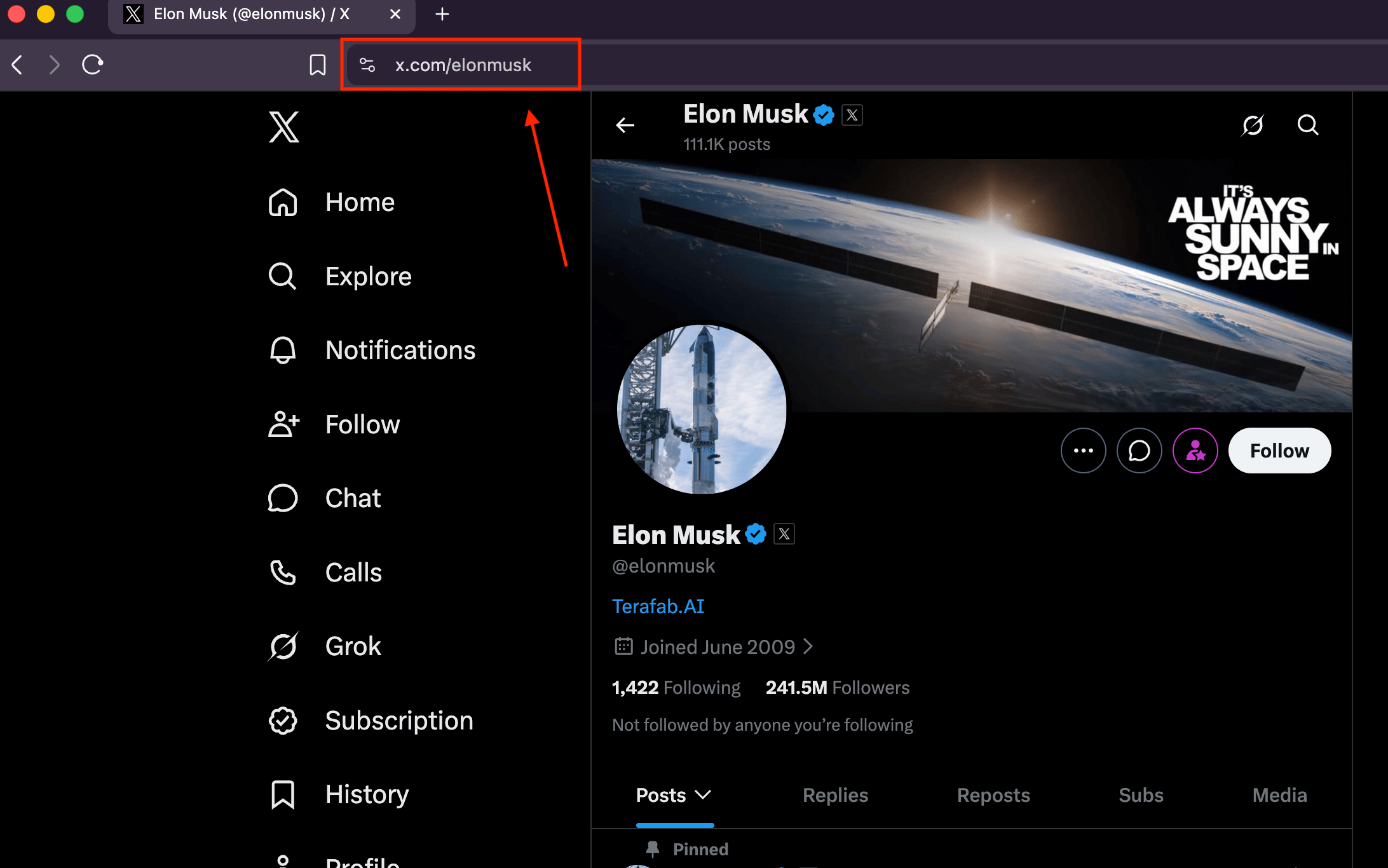
elonmusk), the username with the @ (@elonmusk), or the whole profile link (https://x.com/elonmusk).
Post link
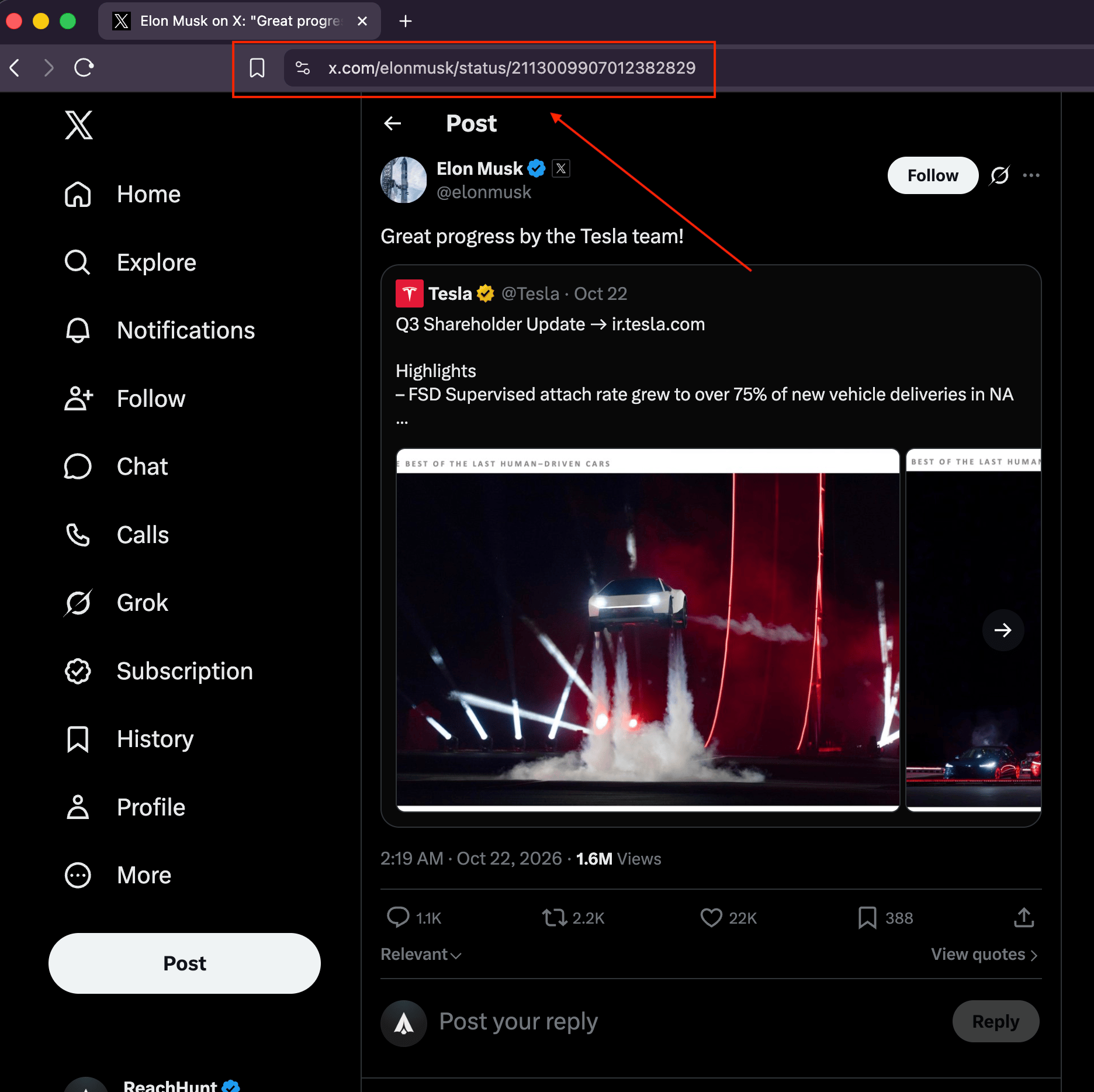
Open the post on X by clicking its text or its date. Then copy the link from the address bar. It looks likehttps://x.com/elonmusk/status/2113009907012382829.
List link
1
Open More
In the X sidebar, select More.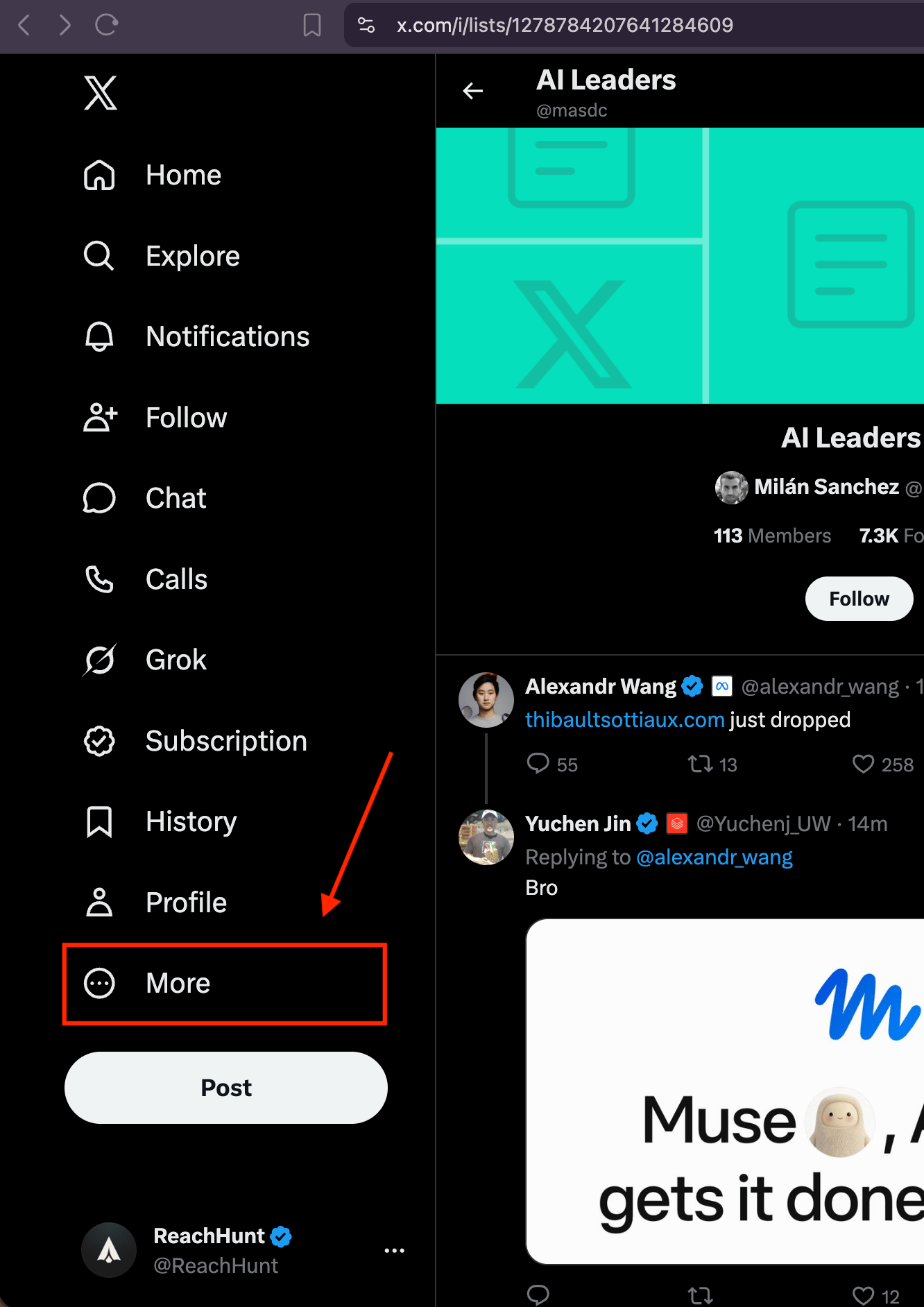
2
Open Lists
Select Lists.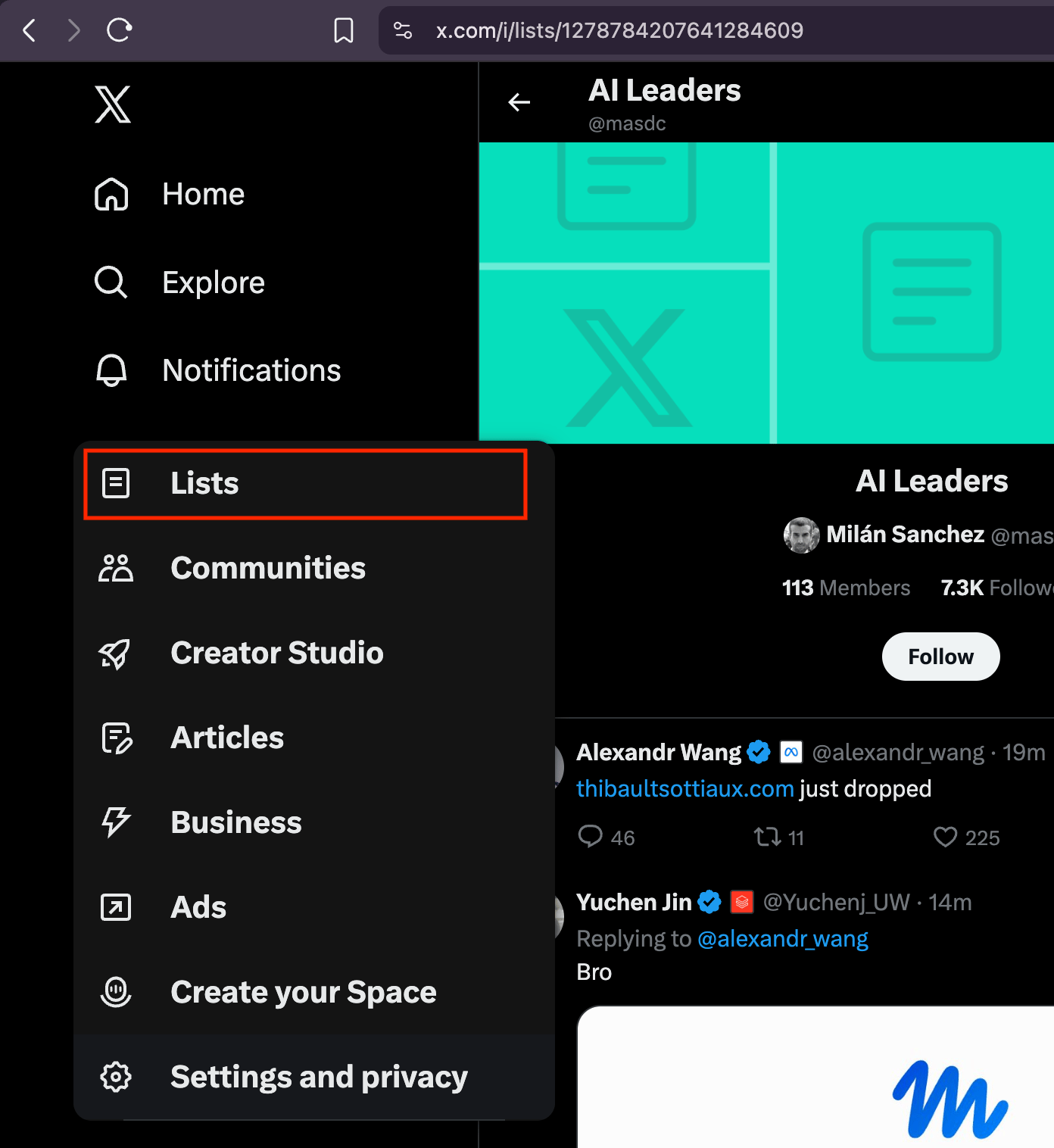
3
Pick the list
Select the list you want to import. Lists you created or follow show under Your Lists.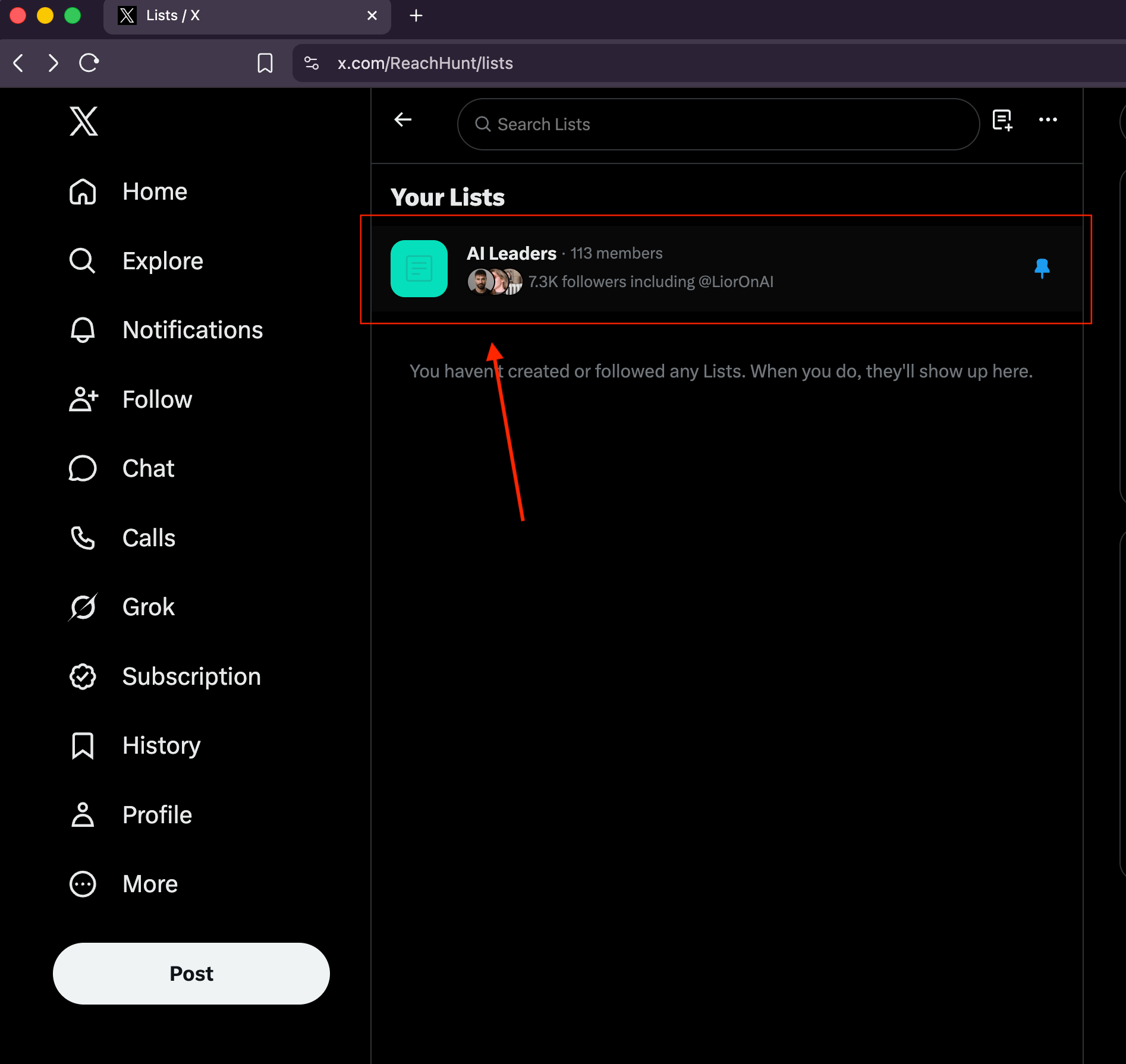
4
Copy the link
Copy the link from the address bar. It looks like 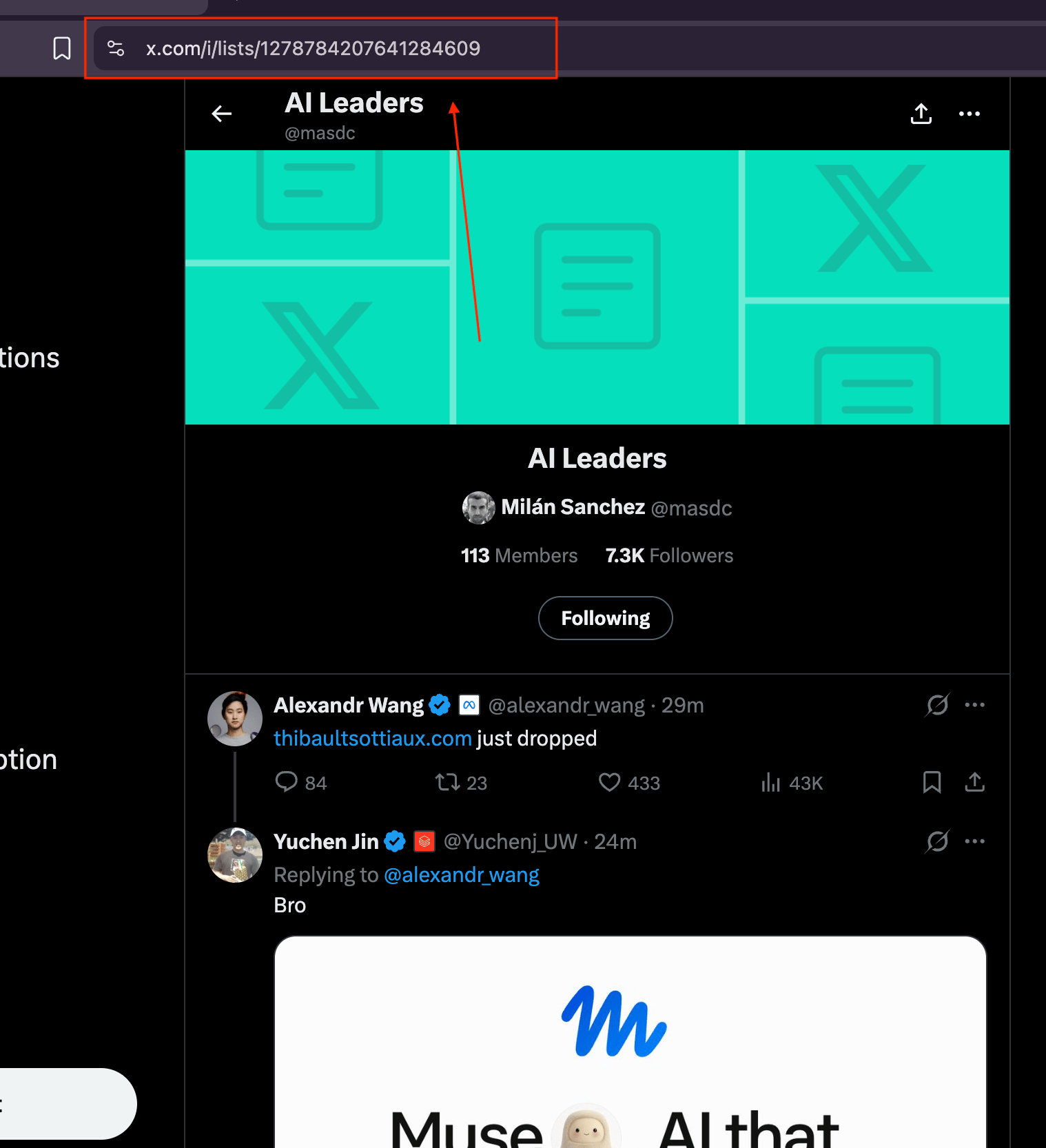
https://x.com/i/lists/1278784207641284609.