

Post link
1
Open the post menu
Find the post on LinkedIn and select the ⋯ button at the top right of the post.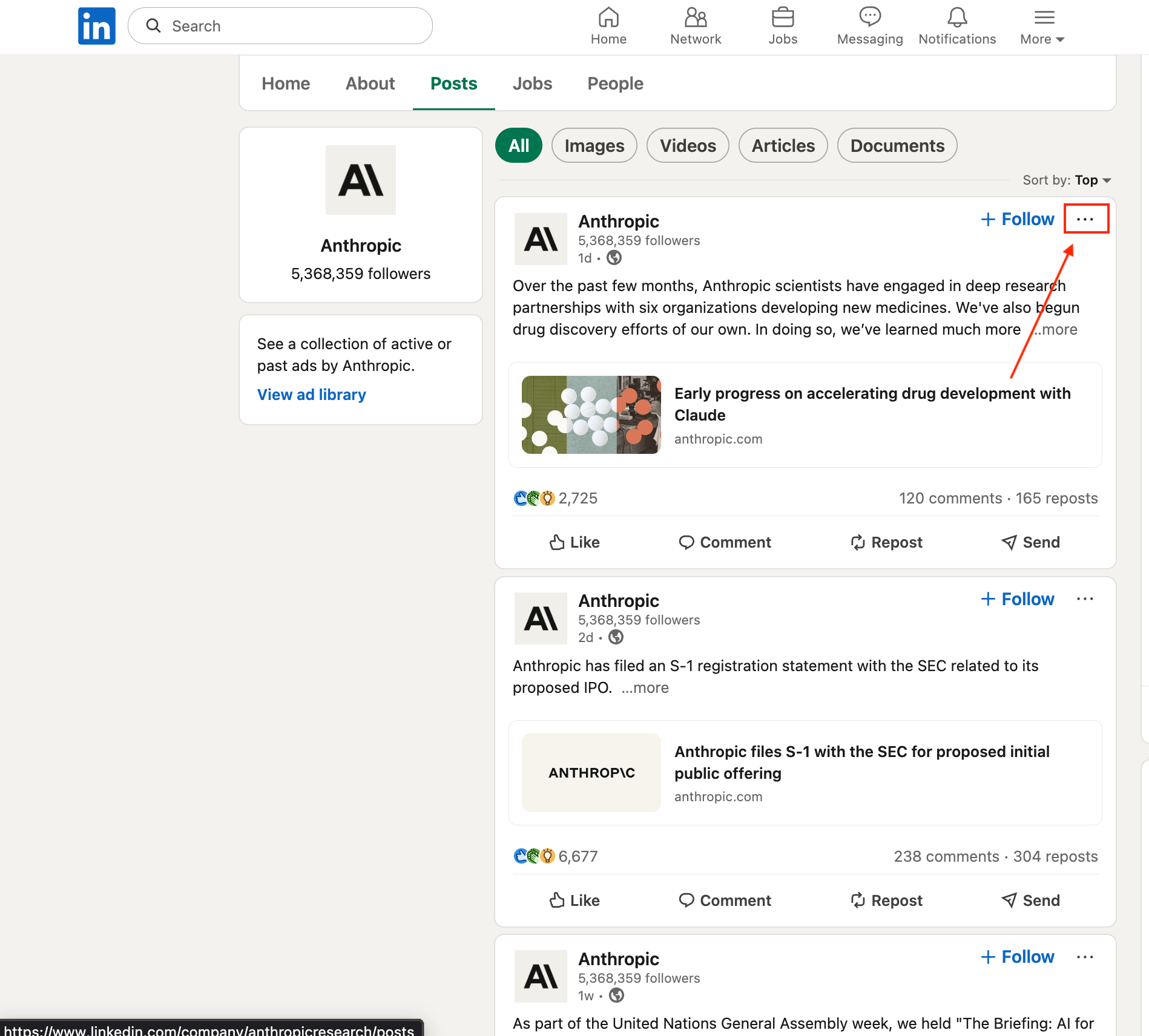
2
Copy the link
Select Copy link to post, then paste the link into ReachHunt.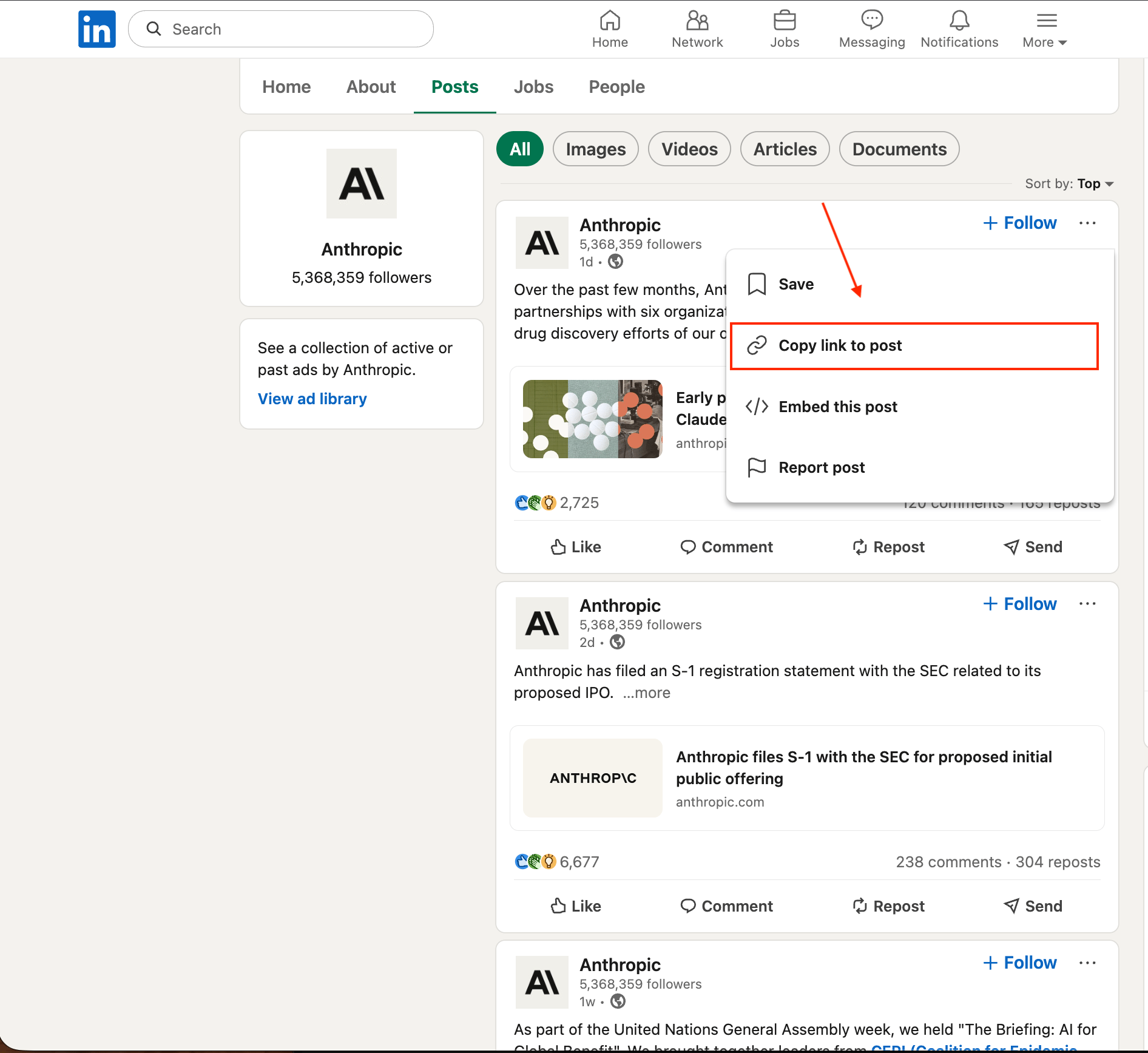
https://www.linkedin.com/posts/anthropicresearch_...-activity-7389.../. Links that start with https://lnkd.in/ work too.
Don’t copy the address bar of your feed or a company’s Posts page. That link points to the page, not to one post.